
Buy and sell online in Ghana without getting scammed.
Padlok locks a buyer’s payment in escrow until delivery is confirmed, so sellers ship with confidence and buyers never pay for something that never shows up.
Free to download · Available now on TestFlight and as a direct APK
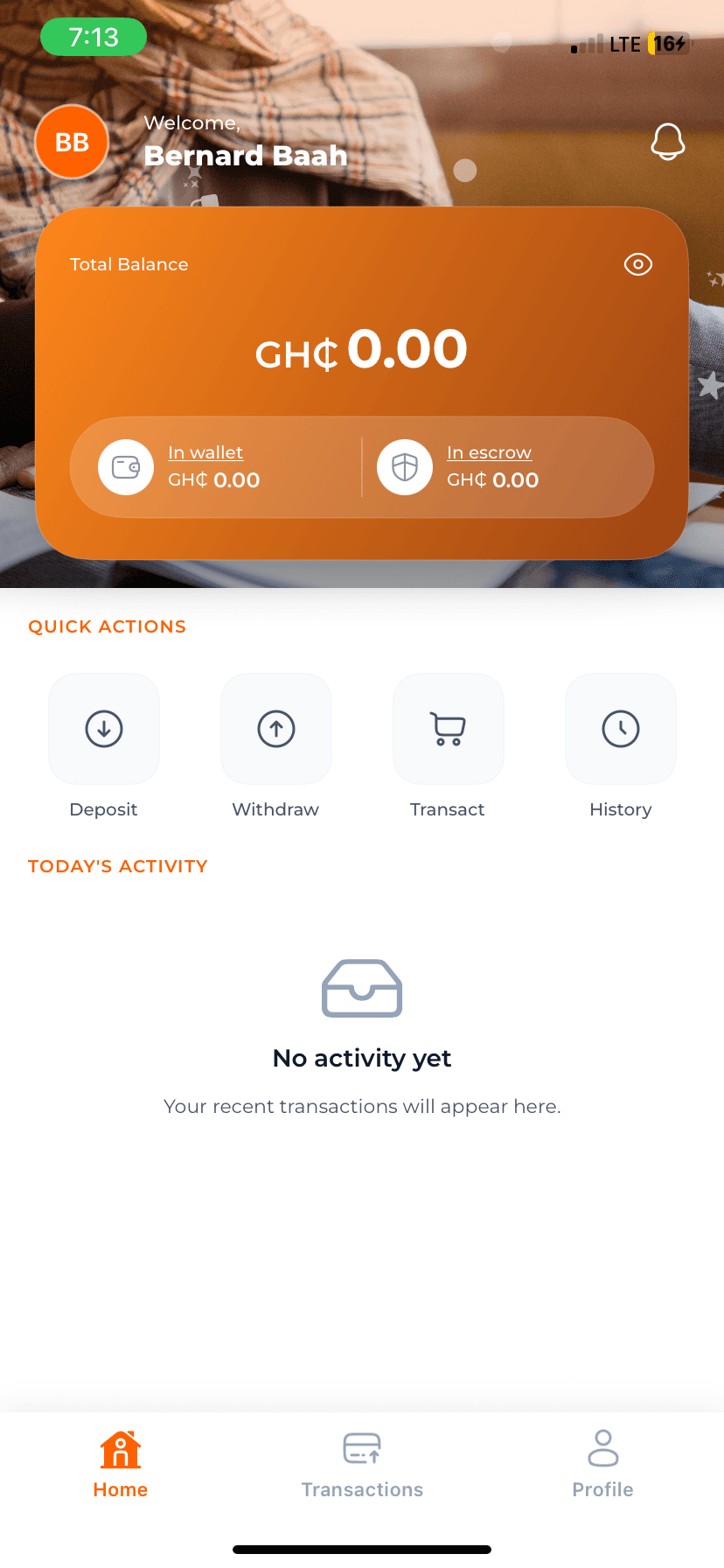
Three steps to a scam-proof deal
Padlok sits between buyer and seller so money only moves when both sides have held up their end.
Agree & fund escrow
Buyer and seller agree on an item and price. The buyer funds the deal through Padlok using Moolre or MTN MoMo — the money is locked, not sent to the seller yet.
Track the delivery
The seller ships or hands over the item while the buyer follows progress live, right from the Lock Screen on iOS.
Confirm & release funds
Once the buyer confirms the item arrived as described, Padlok releases the escrowed funds to the seller instantly.
Everything a safe transaction needs
Built natively for iOS with real-time updates, so every party always knows exactly where a deal stands.
Escrow-locked payments
Funds move into escrow the moment a deal is made and stay locked until the buyer confirms delivery — so no one can walk away with both the money and the item.
Live delivery tracking
Follow every step of a delivery in real time, right down to a live countdown on your iOS Lock Screen and Dynamic Island.
Ghanaian payment rails
Fund and withdraw with Moolre (cards, bank transfer) or MTN Mobile Money — the payment methods people in Ghana already use.
PIN, Face ID & 2FA
Every session is protected by a PIN with optional biometric unlock, and sensitive actions like withdrawals require a fresh two-factor code.
Real-time status updates
Wallet balances, transaction status, and escrow lifecycle events update instantly over a live connection — no refreshing, no guessing.
Verified identities
Escrow creation and completion require identity verification, adding a layer of accountability on both sides of a deal.
Your money and your identity, locked down
Padlok handles real money, so security isn’t an afterthought — it’s layered into every screen.
Device-bound Keychain storage
Login tokens live in the iOS Keychain, never in app storage, and never leave your device.
Biometric unlock with drift detection
Face ID and Touch ID unlock the app, and access is automatically revoked if your enrolled biometrics change.
Two-factor authentication
Enable TOTP-based 2FA for an extra layer of protection on withdrawals and other sensitive actions.
Security checklist
Download Padlok today
Padlok is in public beta ahead of its official App Store and Google Play launch. Join now on TestFlight, or grab the Android APK directly — both are free.
Common questions
What is Padlok?
Padlok is a peer-to-peer escrow app built for buying and selling in Ghana. When you buy something, your payment is locked in escrow instead of going straight to the seller. The seller only gets paid once you confirm the item was delivered as agreed, and you get your money back if it wasn't.
How does escrow protect me from online scams?
Instead of paying a stranger directly and hoping the item arrives, you fund a Padlok escrow. The seller can see the money is secured, which builds trust to ship, and you keep control of the funds until you confirm delivery. Neither side can walk away with both the money and the item.
Is Padlok on the App Store or Google Play?
Not yet. Padlok is currently in public beta. iOS users can join through Apple's TestFlight app, and Android users can install the APK directly. Official App Store and Google Play listings are on the way.
How do I install the iOS beta from TestFlight?
Install the free TestFlight app from the App Store, then tap our TestFlight link to join the Padlok beta. TestFlight will install Padlok automatically and notify you of new builds.
Is it safe to install the Android APK?
Yes. Because Padlok isn't on Google Play yet, Android will ask you to allow installs from your browser the first time. Download the APK from this page only, then open it to install. We publish a new APK here with every release.
What payment methods does Padlok support?
Padlok supports Moolre (cards and bank transfers) and MTN Mobile Money (MoMo), so both buyers and sellers can fund and withdraw using the payment methods already common in Ghana.
How is my account secured?
Every session is protected by a PIN, with optional Face ID or Touch ID unlock. Sensitive actions like withdrawals also support two-factor authentication (TOTP), and your login tokens are stored in the device Keychain rather than app storage that other apps could read.
Can I track my delivery in real time?
Yes. Padlok shows live delivery progress, and on iOS you can follow a delivery from the Lock Screen or Dynamic Island without opening the app.
Stop hoping. Start locking.
Join the Padlok beta today and make your next online deal in Ghana a safe one.